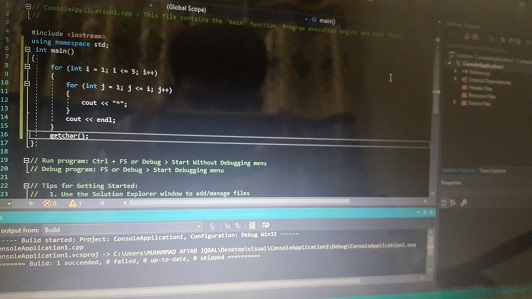

In today’s digital age, programming tools for students have become increasingly important for students across various fields of study. The role of programming software in educational environments cannot be overstated, as such tools facilitate the learning process and enable students to apply theoretical concepts in practical scenarios. For those who are just beginning their coding journey or are looking to enhance their existing skills, access to effective software can make a significant difference in their learning outcomes.
Programming tools come in various forms, catering to diverse learning needs and preferences. For instance, integrated development environments (IDEs), code editors, and compilers are among the crucial types of software that allow students to write, debug, and run their code seamlessly. Many of these tools are available for free, making them accessible to anyone interested in learning to code or improving their programming capabilities.
The availability of programming software is especially beneficial for students who may be constrained by financial limitations. Offering an array of free resources not only democratizes access to essential learning tools but also encourages a culture of experimentation and innovation. Furthermore, these tools often come equipped with extensive online documentation and communities, providing valuable support for learners at all stages.
As we delve deeper into this topic, we will examine several specific free programming software options that can serve as invaluable resources in a student’s educational toolkit. These tools not only enhance coding proficiency but also foster a deeper understanding of complex programming concepts. Understanding and utilizing these resources is paramount for any student aiming to thrive in the world of programming.
Essential Free Programming Tools for Beginners
For individuals embarking on their programming journey, accessing the right tools is vital. There is a variety of free programming software tailored specifically for beginners. These tools can enhance one’s learning experience by providing easy-to-navigate interfaces, built-in tutorials, and comprehensive documentation. Among the most popular and accessible options are text editors and integrated development environments (IDEs).
One of the most encouraged tools for beginners is Visual Studio Code. This highly customizable text editor supports numerous programming languages and features an intuitive interface. Users can take advantage of its extensive library of plugins, which greatly enhances functionality. Additionally, it includes built-in Git integration and a terminal, allowing newcomers to grasp version control and command-line basics effortlessly.
Furthermore, Atom, developed by GitHub, provides a user-friendly environment tailored for novice programmers. Its collaborative features and package manager allow students to tailor their coding workspace. The editor’s emphasis on ideology and simplicity makes it particularly appealing to those just starting their programming journey.
When it comes to IDEs, Eclipse and PyCharm Community Edition stand out. Eclipse is a robust, open-source IDE favored for Java development, featuring advanced debugging tools and plugins. In contrast, PyCharm Community Edition focuses on Python and offers features such as code navigation and error checking. The learning resources provided by both platforms equip beginners with the necessary skills to grasp concepts effectively.
Lastly, for those seeking interactive coding experiences, platforms like Codecademy and FreeCodeCamp are invaluable. These resources offer hands-on coding lessons accompanied by tutorials that guide users step-by-step through various programming languages and concepts. By integrating these programming tools into their learning process, beginners can establish a solid foundation, preparing them for more advanced programming challenges.
Advanced Programming Software for Experienced Students
As students advance in their coding journey, they often seek programming software that not only supports their existing knowledge but also enhances their skills through advanced features and functionality. Fortunately, numerous advanced programming tools are freely available, making them accessible for students looking to refine their coding abilities without incurring financial costs.
One popular choice is Visual Studio Community, an integrated development environment (IDE) that supports a vast array of programming languages including C, C++, C#, and Python. This software excels particularly in its collaboration capabilities, allowing multiple programmers to work on the same project simultaneously through its Git integration. Such collaboration features can foster a productive learning environment, ideal for experienced students working on group projects.
Another noteworthy option is JetBrains IntelliJ IDEA Community Edition, which is renowned for its intelligent code completion and analysis features. This software is especially advantageous for those engaging with Java and Kotlin programming. Experienced students will find its debugging tools invaluable, as it simplifies the process of identifying and rectifying coding errors, thereby improving efficiency and learning outcomes.
Additionally, Cloud9 offers a cloud-based integrated development environment that is not only versatile but also facilitates real-time collaboration. With support for numerous programming languages and built-in terminal access, Cloud9 provides a powerful platform for students to develop and test codes from anywhere, promoting a flexible learning approach.
In essence, these advanced programming tools for students are designed to equip experienced students with the necessary resources to tackle complex coding challenges. By utilizing these software options, students can further their understanding of programming concepts, strengthen their collaborative skills, and ultimately enhance their coding proficiency.
Choosing the Right Programming Software for Your Needs
Selecting the appropriate programming software is crucial for students aiming to enhance their coding skills. The decision should be informed by individual learning styles, goals, and the specific programming languages they aspire to master. Here are several tips to help make the right choice.
First, consider your primary objectives. Are you looking to learn the basics of programming, or do you have a specific project in mind? For beginners, user-friendly environments like Scratch or Python’s IDLE can be beneficial. They provide a gentle introduction to programming concepts without overwhelming users with complex features.
Next, evaluate your preferred learning style. Some students thrive in structured environments with guided tutorials, while others may favor a self-directed approach. Integrated Development Environments (IDEs) like Visual Studio Code often provide extensive community support and documentation, which can guide users through various coding languages and techniques.
Additionally, consider the programming languages you wish to learn. If your focus is on web development, software such as Atom or Sublime Text might be appropriate, as they are designed with web technologies in mind. Conversely, if you are interested in mobile app development, tools like Android Studio or Xcode should be on your radar.
Another important factor is compatibility with your existing hardware. Make sure the software runs effectively on your system’s operating environment, whether it’s Windows, macOS, or Linux. Lastly, investigate available resources such as tutorials, forums, and community support for the software you are considering.
By taking these aspects into account, you can select programming software that aligns with your educational needs, ensuring a productive and rewarding learning experience.