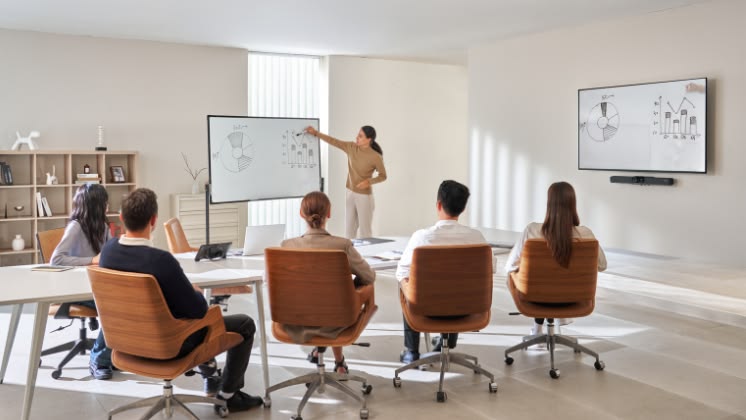

Businesses rely on audiovisual technology to run meetings, deliver presentations, train employees, and connect with customers. A conference room needs clear audio and dependable video. A training center needs displays that make information easy to follow. A corporate event space may require coordinated lighting, staging, microphones, and large-format screens. Choosing the right technology partner can determine whether these systems work together or become a recurring source of frustration. That is why many organizations compare audiovisual solution companies before investing in new equipment, upgrading existing spaces, or planning a major installation.
The best partner does more than sell displays and speakers. It understands how people use a space, identifies technical requirements, and recommends equipment that supports specific business goals. It also considers installation, usability, maintenance, and future expansion.
Here are the most important factors to evaluate before selecting an audiovisual provider.
1. Start With Your Business Requirements
Before requesting quotes, identify what your audiovisual system needs to accomplish. This step helps you avoid paying for equipment that does not solve a real problem.
Different spaces have different technical requirements. A small meeting room used by four employees does not need the same equipment as a boardroom hosting executive presentations or a training facility serving 100 people.
Create a list of your existing challenges and expected outcomes.
For example, a business may need to:
- Improve microphone coverage in large conference rooms.
- Make wireless screen sharing easier for employees and visitors.
- Upgrade displays so presentations remain readable from the back of the room.
- Standardize video conferencing across multiple offices.
- Install digital signage in reception areas.
- Improve sound quality in a training center.
- Add video recording or livestreaming capabilities for company-wide meetings.
Turn each requirement into a practical objective. Instead of saying, “We need better meeting room technology,” specify that employees should be able to start a scheduled video conference without calling IT for help.
Clear requirements help providers recommend the right solution rather than simply presenting a list of products.
2. Look for Experience With Similar Projects
Audiovisual projects vary in complexity. Installing a display in a small office is different from integrating a complete conference room with ceiling microphones, multiple cameras, automated controls, and a video conferencing platform.
Ask prospective providers about projects similar to yours. Look for experience with comparable room sizes, equipment types, building requirements, and user needs.
Useful questions include:
- Have you installed systems in spaces similar to ours?
- Can you share examples of comparable projects?
- Who will design and manage our installation?
- Do you handle equipment configuration and programming?
- Can you coordinate with our IT and facilities teams?
- What support do you provide after installation?
Request specific examples instead of relying on general claims. A provider should be able to explain the original challenge, the recommended system, and the outcome.
For example, if you are upgrading a boardroom, ask how the provider has handled microphone coverage, camera positioning, screen visibility, and room control in similar spaces.
References can also help you understand how the company communicates, handles changes, and resolves problems after the installation is complete.
3. Evaluate the Quality of the System Design
Good audiovisual design begins with the room, not the equipment catalog.
The provider should consider room dimensions, seating arrangements, ambient light, acoustics, ceiling height, power availability, network connectivity, and the way people move through the space.
These factors influence equipment selection and placement.
A display that looks large enough in a showroom may be difficult to read from the back of a long conference room. A microphone positioned incorrectly may capture some participants clearly while leaving others difficult to hear. A projector may struggle in a bright room without suitable screen placement and light control.
A professional design process should include a site assessment or a sufficiently detailed review of the space. The provider should also ask how the room will be used.
For a hybrid meeting room, the design may need to account for camera angles, microphone pickup, speaker placement, and content sharing. For a presentation room, screen visibility and audio coverage may be the primary concerns.
Every major component should have a clear purpose. Ask the provider to explain why each device is necessary and how it contributes to the intended result.
4. Choose Equipment That Fits the Space
Newer equipment is not always the best equipment for every application. The right choice depends on room conditions, performance requirements, compatibility, and budget.
Displays and projection
Consider viewing distance, screen size, brightness, resolution, and the type of content displayed.
A room used mainly for spreadsheets and presentations may need a display that makes text and charts easy to read. A large presentation space may require multiple displays or a projection system that serves attendees across a wider area.
Microphones and speakers
Choose audio equipment based on room size, acoustics, and how people communicate.
A small huddle room may work well with an integrated conferencing bar. A large boardroom may need ceiling microphones, dedicated speakers, and audio processing. A training room may require wireless microphones so instructors can move freely.
Cameras and conferencing systems
Confirm that cameras provide suitable framing for the room and work with the organization’s chosen conferencing platform.
A small meeting room may need a single wide-angle camera. A larger space may benefit from multiple camera views or speaker-tracking capabilities.
Control systems
Touch panels and room controllers can simplify common tasks. Users should be able to start meetings, select content sources, adjust volume, and control displays without navigating complicated menus.
The goal is a system that performs reliably and feels intuitive to the people using it every day.
5. Confirm Compatibility With Existing Technology
A new audiovisual system must work with the technology already in place. Compatibility problems can increase costs and delay deployment.
Before purchasing equipment, review the organization’s conferencing software, network requirements, computers, displays, control systems, and existing cabling.
Ask the provider to identify any components that need replacement or reconfiguration.
For example, a company may want to add a new video conferencing system to an existing room. The current displays might be suitable, but the room’s audio processor or control system may not support the required workflow. A detailed compatibility review can uncover these issues before installation begins.
Consider the following questions:
- Does the equipment support the conferencing platform we use?
- Can employees share content from approved devices?
- Are existing cables and connections suitable?
- Does the system require specific network settings?
- Will firmware or software updates affect compatibility?
- Can the system integrate with room scheduling tools?
- Are licenses or subscriptions required?
Document any dependencies. A proposal should explain which existing components will remain, which will be replaced, and what additional work is required.
A compatibility check can prevent expensive surprises during installation.
6. Compare Complete Project Costs, Not Just Equipment Prices
The lowest equipment quote is not necessarily the lowest-cost project.
A complete audiovisual installation may involve design, engineering, hardware, cabling, mounting, programming, configuration, testing, training, and ongoing support. Some proposals include all these services. Others list only the equipment and basic installation labor.
Request an itemized quote so you can compare providers fairly.
Your budget should account for:
- Displays, microphones, speakers, cameras, and control hardware.
- Mounts, brackets, cables, adapters, and accessories.
- Design and engineering services.
- Installation and configuration labor.
- Control system programming.
- Testing and commissioning.
- Employee training and system documentation.
- Warranties and service agreements.
- Future licenses, subscriptions, and replacement costs.
Ask how changes will be priced if the project scope shifts. Confirm whether travel, after-hours installation, additional cabling, or specialized labor costs extra.
A detailed proposal also helps your team compare alternatives. For example, a provider might offer two display options with different costs and performance levels. The right choice depends on the room’s needs, not just the price difference.
Evaluate the total cost of ownership over the expected life of the system. A cheaper solution may require more maintenance or earlier replacement. A more expensive option may provide greater reliability or better support, but those benefits should be clearly explained.
7. Make Installation Planning a Priority
Even a well-designed system can cause disruption if installation is poorly coordinated.
Commercial AV work may involve electricians, network administrators, construction contractors, facilities managers, and building management. The provider should understand how to coordinate these responsibilities.
Ask for a project schedule that identifies key milestones.
A typical installation plan may include:
- Site assessment and requirements confirmation.
- Final system design and equipment approval.
- Equipment ordering and delivery planning.
- Cabling and infrastructure preparation.
- Hardware installation and mounting.
- Programming and configuration.
- System testing and troubleshooting.
- Employee training and handover.
Discuss the impact on daily operations. If the installation takes place in an active office, determine whether work can happen outside normal business hours or in phases.
Confirm who will manage access to the site, coordinate deliveries, and communicate schedule changes. Ask how the provider will protect the work area and keep pathways clear.
For larger projects, establish regular status meetings and a clear process for approving changes.
Good project management reduces uncertainty. It also helps employees prepare for temporary room closures and new workflows.
8. Insist on Testing Before Handover
A system should not be considered complete simply because the equipment has been installed.
The provider should test the entire workflow under realistic conditions. Individual components may work correctly on their own but fail when connected to the rest of the system.
A conference room test should include starting a meeting, connecting a laptop, sharing a presentation, checking microphone pickup, adjusting volume, testing the camera, and ending the session.
For larger rooms, test audio and visibility from multiple seating positions. Confirm that screens remain readable and that participants can hear speakers clearly.
A commissioning checklist should cover:
- All displays and video sources.
- Microphones and speakers.
- Cameras and conferencing platforms.
- Control panels and automated functions.
- Wireless presentation and wired connections.
- Network connectivity and device communication.
- Firmware and approved software versions.
- Backup procedures for common failures.
Ask the provider to demonstrate the system before signing off on the project. Any outstanding problems should be documented with a clear plan for resolution.
Testing protects your investment and gives employees a more reliable starting point.
9. Make Employee Training Part of the Project
A sophisticated system can still fail to deliver value if employees do not know how to use it.
Training should match the user’s role and the complexity of the equipment. Most employees need a simple guide to starting meetings, sharing content, adjusting volume, and requesting help. Administrators may need more detailed instruction on device settings, room configuration, and troubleshooting.
Ask the provider to include practical demonstrations during handover.
For example, employees should learn how to start a scheduled video conference, switch between presentation sources, mute microphones, and end a session correctly. A short printed guide or digital quick-start document can reinforce the training.
Keep instructions accessible near the equipment or on the company intranet. Use screenshots where they make steps easier to follow.
Training should also cover support procedures. Employees need to know whether to contact internal IT, a service desk, or the AV provider directly.
A clear process helps users get assistance quickly and reduces repeated support requests.
10. Ask About Ongoing Support and Maintenance
Audiovisual technology needs attention after installation. Devices may require firmware updates, troubleshooting, repairs, and eventual replacement.
Ask what support the provider offers and how it works in practice.
Some companies provide support only during the warranty period. Others offer ongoing maintenance agreements, remote troubleshooting, monitoring, and scheduled site visits.
Clarify the details before signing:
- What equipment is covered?
- What are the support hours?
- How quickly will the provider acknowledge a request?
- Are on-site visits included?
- Are replacement parts covered?
- Who handles software and firmware updates?
- How are urgent issues escalated?
- Is remote monitoring available?
- What happens when equipment reaches the end of its useful life?
Response time and resolution time are different. A provider may acknowledge a ticket quickly but need longer to resolve the underlying issue. Make sure the agreement defines what the service commitments actually mean.
For organizations with multiple offices, ask whether the provider can support all locations consistently.
11. Plan for Future Growth
Business needs change. Companies add employees, open new offices, change conferencing platforms, and introduce new ways to collaborate.
An audiovisual system should support reasonable future expansion without requiring a complete replacement.
Discuss the organization’s plans with the provider. A growing business may need additional meeting rooms or more standardized equipment across locations. A training facility may eventually require recording and streaming. An executive space may need more advanced presentation capabilities.
Consider whether the proposed system supports modular upgrades, additional displays, new cameras, or integration with future software.
Documentation is essential. Request equipment lists, connection diagrams, configuration details, warranty information, and administrator instructions. Confirm that your organization will have access to the documentation needed to maintain and manage its system.
A future-ready design does not mean buying every possible feature today. It means making sensible choices that leave room for change.
12. Look for a Partner, Not Just a Supplier
The right audiovisual provider should be willing to explain its recommendations, identify risks, and discuss alternatives.
Pay attention to how the company handles questions. Does it ask about your requirements before recommending products? Does it explain technical trade-offs in plain language? Does it provide a detailed scope of work? Can it describe how support will operate after installation?
Be cautious of proposals that use vague descriptions, omit key labor costs, or promise compatibility without checking the existing environment.
Ask for references and examples of comparable work. Review the proposed timeline, documentation standards, warranty terms, and service options.
A good partner understands that success depends on the complete experience. The equipment must perform well, employees must know how to use it, and the organization must be able to maintain it over time.
Final Thoughts
Choosing an audiovisual provider is a business decision that affects productivity, communication, and the everyday experience of employees and customers. Start with clear requirements. Evaluate technical expertise. Compare complete project costs. Confirm compatibility, installation planning, testing, training, and long-term support.
The right audiovisual solution should solve a specific problem and remain practical to operate over time. Take the time to compare providers, ask detailed questions, and review the full scope of work before making a decision. A thoughtful selection process helps your organization invest in technology that supports its people, fits its spaces, and grows alongside its needs.