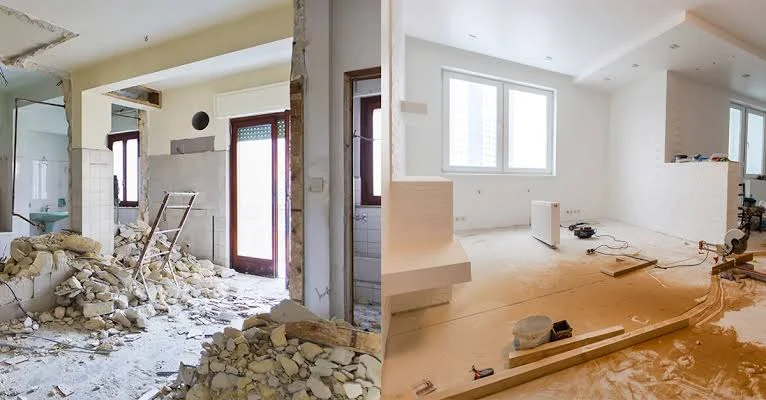

There is a narrow window during any building project when the walls are open, the ceilings are down, and running a cable anywhere in the house costs almost nothing. It lasts a few days. It closes without ceremony, usually while the homeowner is preoccupied with worktops and tile samples, and it does not reopen without a plasterer and a redecorating bill.
Almost every expensive technology problem in a modern home traces back to that window being missed. Not because anyone made a bad decision, but because nobody was asked the question at the right time.
Why wireless has not made this go away
The reasonable objection is that everything is wireless now. Broadly, that is true of the devices. It is emphatically not true of what supports them.
A modern home runs streaming video on several screens, video calls that cannot drop, doorbell and camera feeds, speakers, thermostats, lighting controllers and a growing collection of appliances that want an internet connection. The wireless capacity to serve all that reliably across a whole house does not come from a better router. It comes from multiple wireless access points distributed around the property — and each of those access points needs a cable back to a central point, both for data and, ideally, for power.
This is the central irony of home networking: good wireless coverage is a wiring problem. Mesh systems that link wirelessly to each other work, but they sacrifice a meaningful share of their capacity to the link itself, and they perform worst in exactly the properties that need them most — those with thick masonry walls, foil-backed insulation, underfloor heating screeds and multiple floors.
What to run, and where
The specification is not complicated.
Cat6 or Cat6a data cable to every location that might ever want a fixed connection: behind each television position, to each proposed wireless access point location (typically ceiling-mounted, one per floor at minimum and more in a larger or subdivided property), to the home office, to any AV rack, and to any camera or doorbell position. Two runs to each television position rather than one, because the second costs a few pounds now and solves a problem later.
Speaker cable to any room that might want audio, as discussed above.
Conduit wherever it can reasonably be installed, particularly between floors and to television positions. This is the genuinely future-proof element: cable standards change, and conduit means the next generation of cable can be pulled through without opening anything.
Power at ceiling access point locations if the network cabling will not be carrying it, and at television positions — ideally with a spare socket behid the screen so power supplies are not visible.
The cost of all this during first fix is dominated by labour that is already on site. The cost of adding it afterwards is dominated by making good.
Where everything terminates
Every cable has to go somewhere, and that somewhere needs deciding early because it affects the building work.
A network cabinet or equipment rack needs ventilation, mains power, and a location where fan noise does not matter. Understairs cupboards, utility rooms, garages and loft eaves cupboards all work with appropriate provision. Lofts are viable but subject to temperature extremes that shorten equipment life, and garages need consideration of damp.
What matters most is that it is central enough to keep cable runs sensible and accessible enough that maintenance does not require dismantling a cupboard. It also needs to be where the incoming broadband service terminates, or connected to it — worth confirming with the provider, because moving an incoming line later is neither quick nor free.
Screens, and the mistake everyone makes
Television positions are decided visually and then discovered to be impractical. Two points prevent most of the pain.
First, decide the screen position and height before the electrician first-fixes, and have the power and data outlets placed so they sit behind the screen rather than beside it. Recessed outlet boxes keep plugs from fouling a flush-mounted bracket.
Second, if the source equipment is going to live somewhere other than under the screen — in a rack, or in a cupboard — that connection has to be planned. Long HDMI runs are unreliable; the workable approaches use active cable, fibre HDMI, or extenders over network cable, and all of them need the right cable installed in advance.
Where a screen is going above a fireplace or in a room with a lot of glass, viewing angle and reflection are worth thinking about before the bracket goes up.
Sequencing, and who talks to whom
The reason this gets missed is organisational rather than technical. The electrician arrives to first-fix, asks where the sockets go, and nobody has thought about data because the technology conversation happens later, when someone is choosing a television.
The fix is to have the AV and network design done before first fix, as a drawing and a cable schedule that the electrician can simply follow. That document costs a fraction of the eventual system and it prevents nearly every expensive retrofit. Good smart home installers in Essex and elsewhere will produce exactly that as a deliverable, and will coordinate directly with the builder and electrician rather than through the homeowner acting as messenger.
It is also worth having the conversation with a specialist before the design is fixed, because some decisions have architectural implications: where a projector needs a ceiling void, whether a wall can take a heavy screen, where blinds motors need power, and whether the lighting circuits need to be arranged differently to allow scene control later.
Do it once, badly, or once, properly
The unglamorous truth is that the cabling is the part of a home technology system with the longest life. Amplifiers, screens, control processors and access points all get replaced over the years. The infrastructure they plug into stays where it is, buried in walls, for as long as the house stands.
Spending a modest amount getting that right during a renovation is one of the few genuinely high-return decisions available. Skipping it saves a small sum during the project and then charges interest on it for a decade, in the form of trailing cables, dead spots, visible boxes on walls, and the slow accumulation of small compromises that make a beautifully finished house feel oddly makeshift.
The window is open while the walls are. It is worth using.