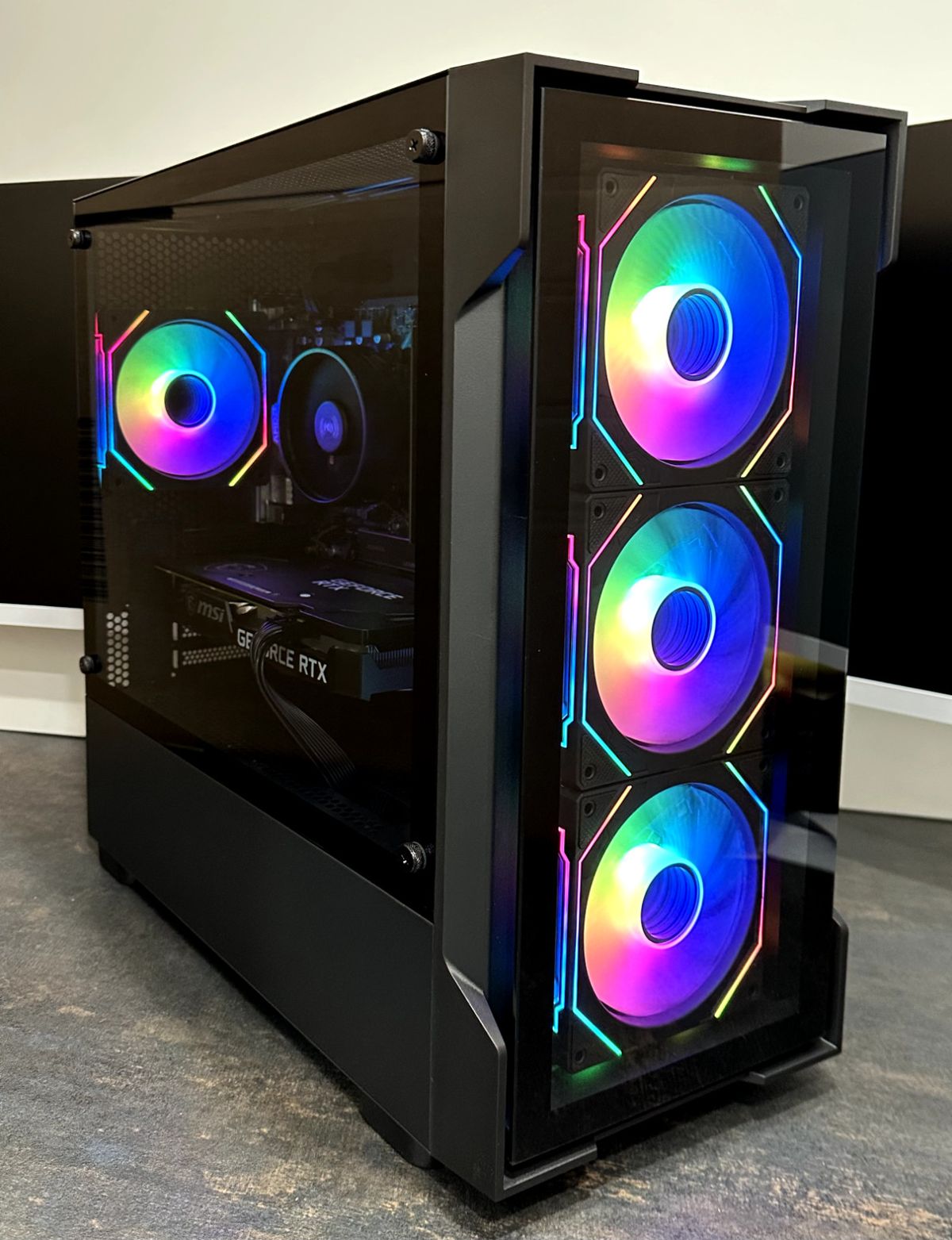

Buying a gaming PC should be the fun part. Instead, it often means decoding spec sheets while a sale timer nudges you towards checkout. Two machines at the same price can perform very differently, and the difference usually hides in a line or two of the specification.
This UK buying guide covers what to check first, which parts deserve your money and the mistakes that cost buyers the most.
Start With the Games and Screen You Have
A gaming PC is a desktop built to run games smoothly, using a dedicated graphics card, a capable processor, enough fast memory and quick storage. What counts as capable depends on what you play and what you play it on.
Esports titles run happily on modest hardware at 1080p. Demanding open-world games at 1440p or 4K need far more graphics power. Match the machine to your monitor’s resolution and refresh rate, because a 4K screen on an entry-level card ends in disappointment.
The Specs That Matter Most
- Graphics card (GPU): This has the biggest influence on frame rates, so it should get the largest share of your budget.
- Processor (CPU): It should balance the GPU. A weak CPU holds back a strong card, and overspending on one rarely helps.
- RAM: 16GB is a sensible starting point for modern games. Streaming and heavy multitasking benefit from more.
- Storage: An SSD is essential for fast load times. Check the capacity too, since big games fill a drive quickly.
- Power supply and cooling: These are unglamorous but vital. Reliable parts protect everything else and leave room to upgrade.
Did you know? Two graphics cards with similar names can differ noticeably in memory and performance. Always compare the exact model, not just the series.
Prebuilt Gaming PC or Build Your Own?
A prebuilt gaming PC arrives assembled, tested and covered by a single warranty. That suits beginners, gift buyers and anyone who wants to start playing quickly. Building your own gives total control over parts, but it costs time, demands care with compatibility and often hides extras such as a Windows licence and peripherals.
If you’re torn, a gaming PC bundle can tip the balance. The monitor, keyboard and mouse arrive with the machine, so you skip the hunt for matching accessories.
Setting a Realistic Budget
The budget decides almost everything, so set it before you browse. A well-chosen budget gaming PC can handle esports titles and many modern games at 1080p. Go lower still and you’ll need to accept reduced settings in newer releases.
Be careful with the word “cheap”. A cheap gaming PC is only good value if the core parts are balanced and the build quality holds up. Machines that cut corners on the power supply, cooling or storage often cost more in the long run through slowdowns or early failures.
Common mistake: Spending heavily on case lighting or a headline-grabbing CPU while accepting a weak graphics card. Lighting doesn’t add a single frame.
How to Spot Genuine Gaming PC Deals
Gaming PC deals appear constantly, especially during sales. A real deal has a clear specification and a price that makes sense against it. Before you click buy, confirm that:
- The exact CPU and GPU models are named.
- RAM and storage sizes are stated, not vague.
- Warranty length and return terms are visible.
- You know exactly what’s included, since some offers add accessories and others don’t.
Pro tip: Put two similar listings side by side and compare the GPU first, then RAM, then storage. If a listing hides any of these details, treat it with caution.
Warranty, Support and Delivery
Cover matters even more with a prebuilt system, because one supplier is responsible for the whole machine. Look for a clear warranty, a returns policy you can read before ordering and UK-based support you can actually reach.
Veno Scorp builds its systems in-house and publishes its warranty and return terms. It also offers a Help Me Choose service for buyers who want guidance before committing, and next-day delivery on many systems.
Is There a Best Gaming PC?
There’s no single best gaming PC for everyone. The best one matches your games, your monitor and your budget without leaving key parts underpowered. A machine that suits a competitive Fortnite player won’t suit someone streaming or editing video, so define your use case first and compare options within that range.
Expert insight: From watching how first-time buyers decide, the happiest purchases come from people who set a budget and a target resolution before looking at listings. The unhappiest ones started with a brand name or a flashy case.
Quick Checklist Before You Buy
- What will I play, and at what resolution?
- Does the GPU suit my monitor?
- Is there at least 16GB of RAM and an SSD?
- Are all key parts named clearly?
- Is the warranty clear and the support UK-based?
- Do I need accessories, or would a bundle give better value?
Ready to Buy Your Gaming PC?
Choosing a gaming PC comes down to a few clear decisions: know your games and screen, protect the GPU budget, read the specification closely and check the warranty. Get those right and the rest falls into place.
FAQs
- How much should I spend on a gaming PC in the UK?
It depends on your games and resolution. Entry-level systems suit 1080p gaming, while 1440p and 4K need a bigger budget, mainly for the graphics card. Set a budget first, then compare options within it. - Is a prebuilt gaming PC better than building one?
Neither is better for everyone. A prebuilt system saves time, comes tested and has one warranty. Building offers more customisation but needs time and compatibility checks. - How much RAM does a gaming PC need?
16GB is a sensible starting point for most modern games. Consider more if you stream, edit video or run many apps alongside your games. - Are cheap gaming PCs worth buying?
They can be, if the core parts are balanced and the warranty is clear. Be wary of low prices that hide weak power supplies, slow storage or vague specifications. - Can I buy a gaming PC on finance in the UK?
Many UK retailers offer it. Veno Scorp offers Klarna payment plans, subject to approval, for UK customers aged 18 and over.