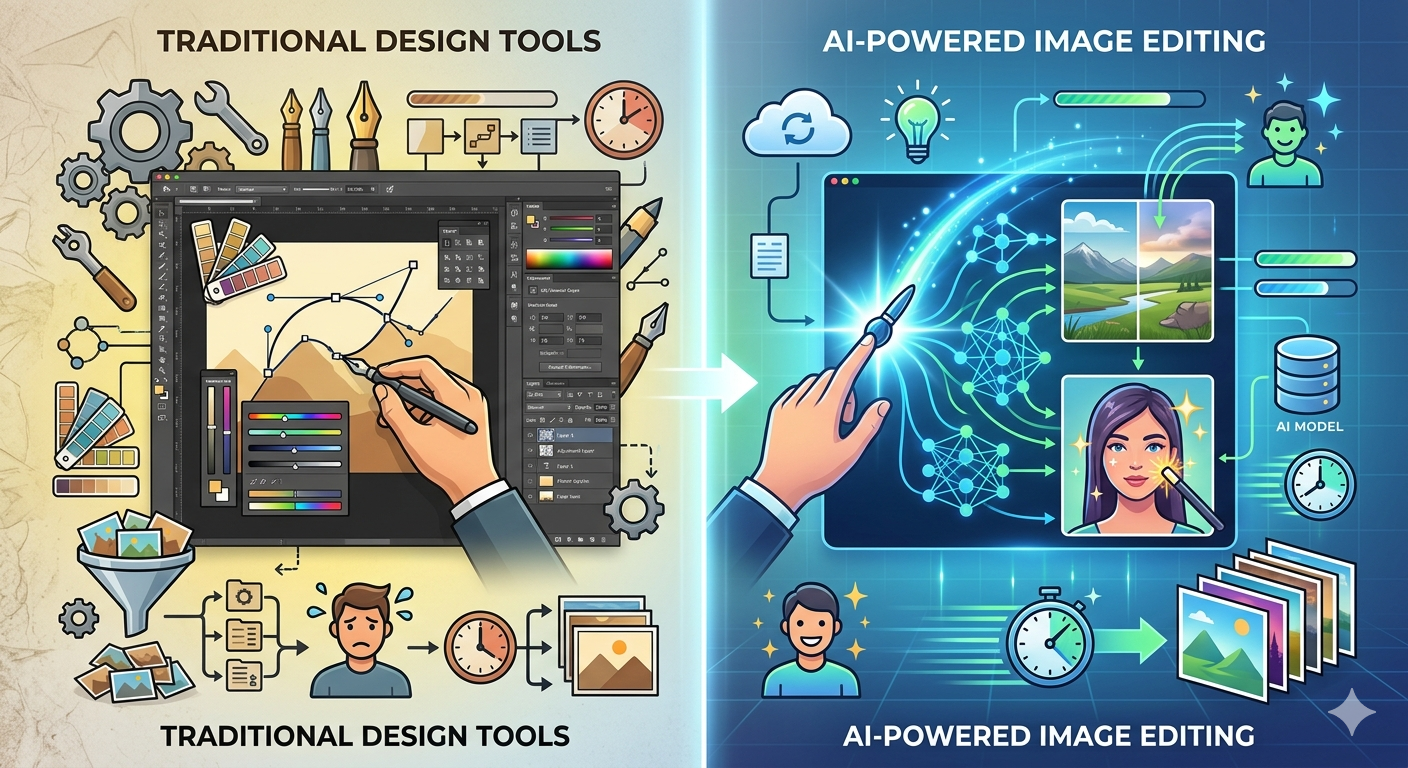

The design industry is undergoing a fundamental shift. Traditional image editing — with its steep learning curves, complex layer systems, and hours of manual work — is being challenged by AI-powered alternatives that deliver professional results in seconds.
This isn’t about replacing skilled designers. It’s about democratizing visual content creation so that anyone, from solo entrepreneurs to enterprise marketing teams, can produce high-quality images without specialized training.
The Problem With Traditional Image Editing
Adobe Photoshop has dominated image editing for over three decades. It’s an incredibly powerful tool — and that’s precisely the problem. Its power comes with complexity that most people don’t need.
Consider these common tasks:
- Removing a background — requires masking, feathering, and edge refinement (15-30 minutes for a clean result)
- Changing lighting or mood — involves adjustment layers, curves, color grading (20-45 minutes)
- Adding or removing objects — content-aware fill plus manual cleanup (30-60 minutes)
- Creating variations — duplicating files, manual adjustments for each version (multiply time per variant)
AI image editing handles each of these in under 30 seconds, using natural language instructions instead of tool palettes.
How AI Image Editing Actually Works
Modern AI editors use diffusion models trained on millions of images. You upload a photo, describe what you want changed in plain English, and the AI generates the result. No layers. No masks. No tutorials.
For example, with Nano Banana 2, you can upload a product photo and type “place this product on a marble kitchen counter with morning sunlight” — and get a photorealistic result that would take a professional photographer and a photo editor hours to produce.
Five Practical Use Cases
1. E-Commerce Product Photography
Product photos are the single biggest factor in online purchase decisions. AI editing lets sellers create professional product shots from basic smartphone photos — different backgrounds, lifestyle settings, and seasonal themes without reshooting.
2. Real Estate and Architecture
Real estate agents and architects use AI to visualize spaces in different conditions — furnished vs. empty, summer vs. winter, day vs. night. What previously required expensive 3D rendering software now takes a text prompt and 10 seconds.
3. Content Marketing at Scale
Marketing teams need dozens of visual assets weekly — blog headers, social media posts, email banners, ad creatives. AI generation produces on-brand visuals at a fraction of the time and cost of traditional design workflows.
4. Educational Materials
Teachers, course creators, and technical writers use AI image generation to create custom illustrations that match their exact needs, rather than settling for generic stock photos that only approximate the concept they’re teaching.
5. Personal Creative Projects
From custom greeting cards to personalized wall art, AI image generation has opened creative expression to people who never considered themselves “artistic.” The barrier isn’t talent anymore — it’s imagination.
What to Look For in an AI Image Editor
Not all AI image tools are created equal. Key differentiators include:
Resolution: Consumer-grade tools often cap at 1024×1024. Professional use requires 4K output (4096×4096), making outputs suitable for print, large displays, and high-DPI screens.
Edit vs. Generate: Many tools only generate from scratch. True utility comes from editing existing images — the ability to modify real photos, not just create synthetic ones.
Model Variety: Different AI models excel at different tasks. Having access to multiple models (Gemini, DALL-E, Stable Diffusion, FLUX) means better results across diverse use cases.
Current Awareness: Most AI image generators are frozen in time — they only know what existed in their training data. Web-search grounded generators can incorporate current events, trends, and recent visual styles.
The Cost Equation
Traditional design workflows carry significant costs:
- Freelance designer: $50-150 per hour
- Stock photo subscription: $200-500 per month
- Software licenses: $600+ per year
AI image generation tools typically offer free tiers for evaluation, with paid plans starting under $10/month for substantial usage. The ROI is immediate and measurable.
Getting Started
The best approach is to test AI image editing against your actual workflow. Take a task you’d normally spend 30+ minutes on — background removal, product mockup creation, or social media graphic design — and try it with an AI tool.
The shift from manual to AI-assisted image editing isn’t a question of if — it’s a question of when your competitors adopt it first.